PORTFOLIO ONESPARK BLOG ABOUT FAQ BOOK A SCOPE CALL
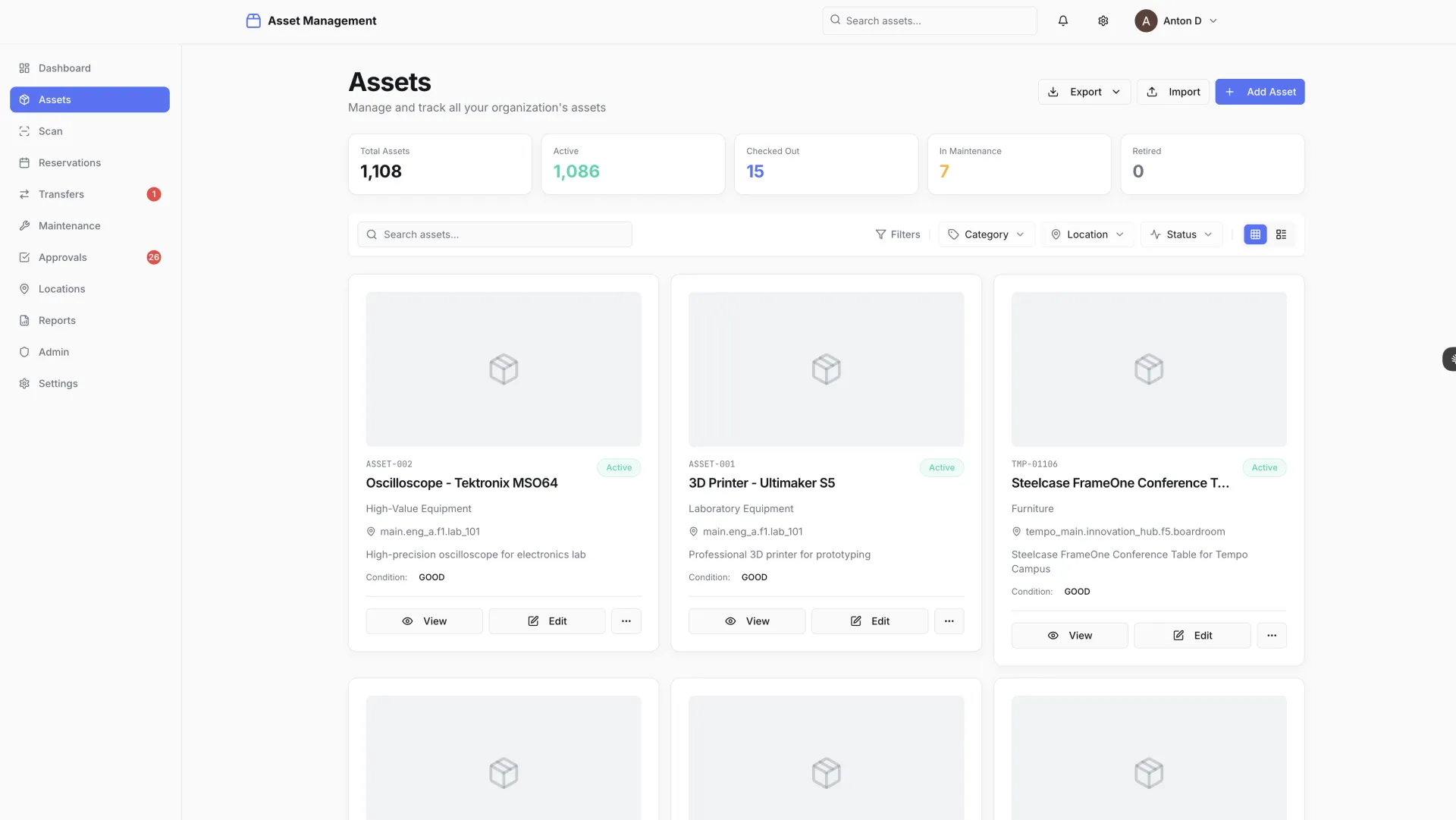
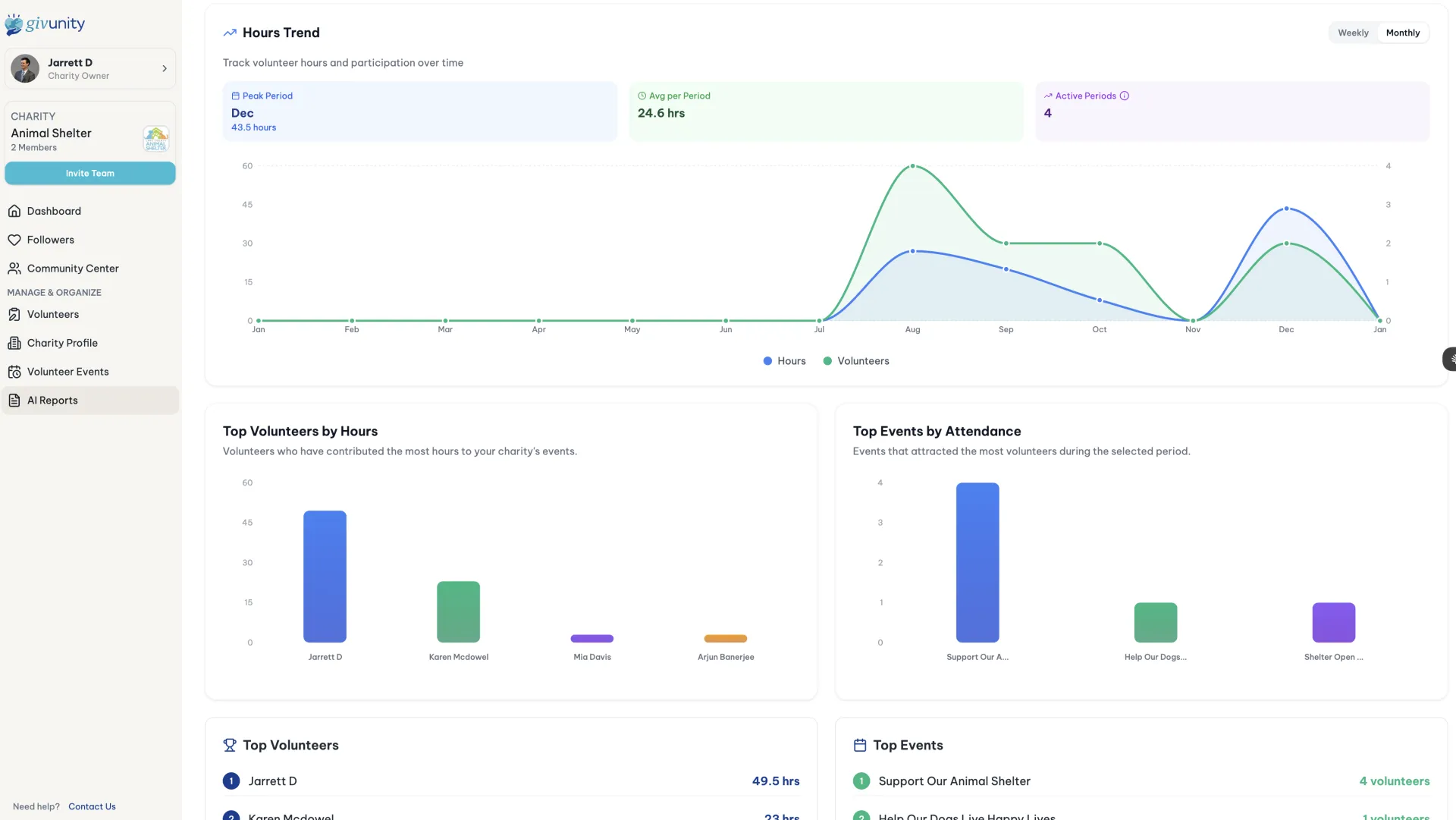
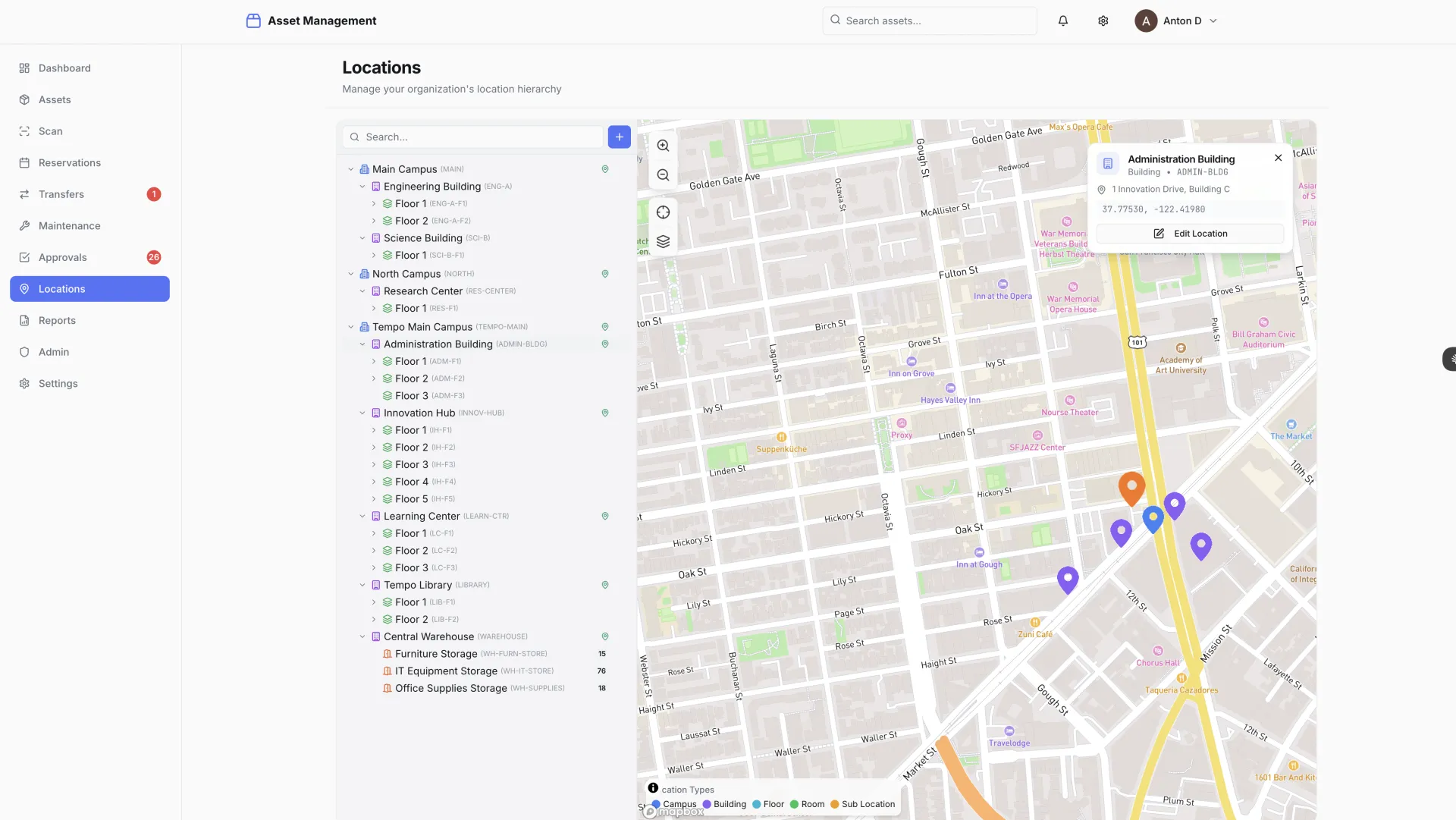
University asset management system showing interactive campus location map with hierarchical asset distribution
EDUCATION

ASSET MANAGEMENT

University asset tracking system with scan-first operations and enterprise SSO integration built in 8 hours

8 HRS BUILD TIME
11 SCREENS DELIVERED
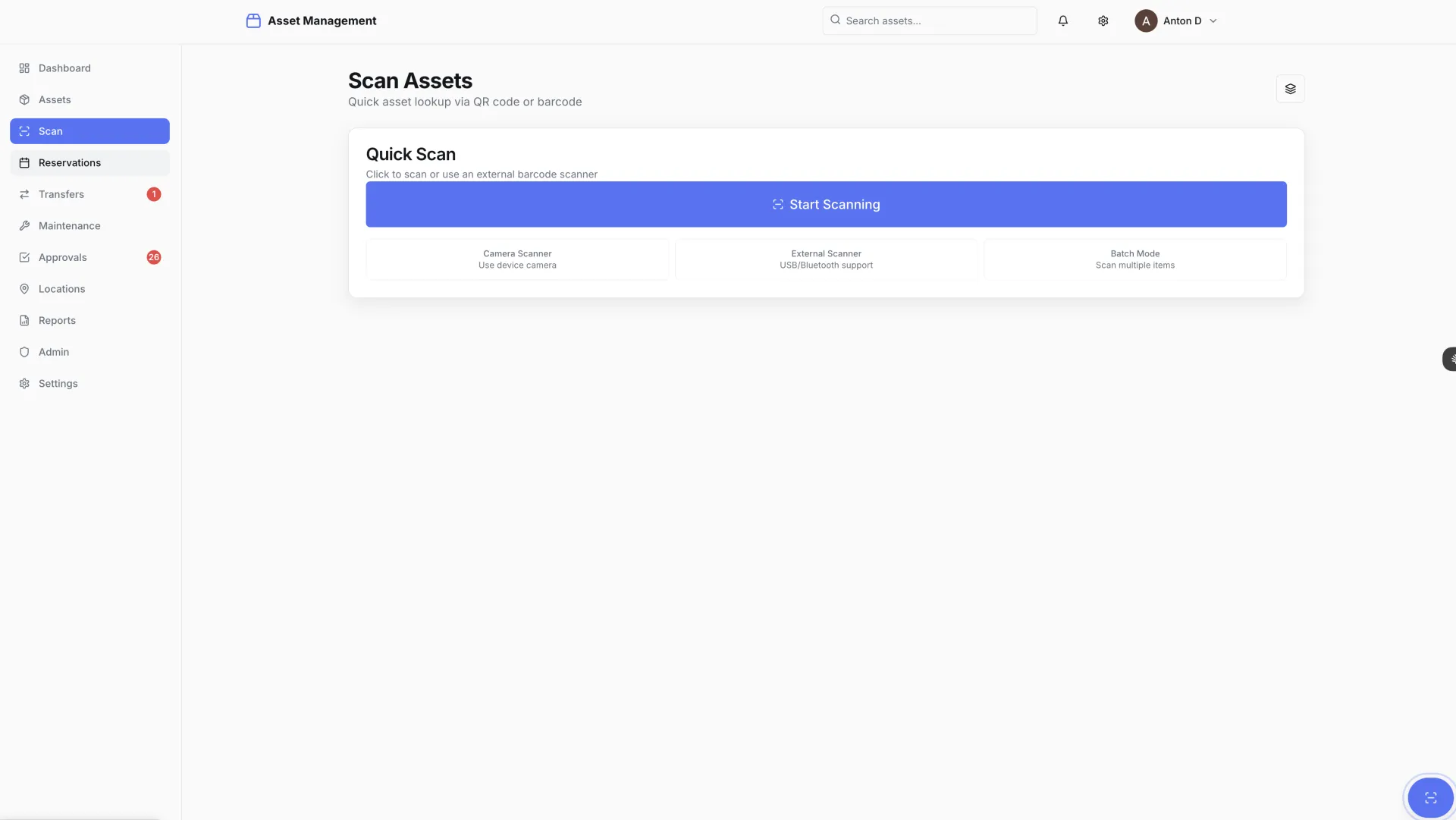
QR/BARCODE SCAN-FIRST OPERATIONS

University asset tracking system enabling scan-first operations with QR/barcode scanning. Features hierarchical location management, real-time Typesense search, interactive maps with Mapbox, approval workflows, maintenance tracking, and enterprise SSO integration.

Tech Stack

Next.js 14 NestJS PostgreSQL Typesense Mapbox Redis

Delivery Time

8 hours

The Challenge

A university needed to track thousands of physical assets distributed across multiple buildings, floors, and rooms — lab equipment, IT hardware, furniture, audiovisual gear, and specialized research instruments. The scale of the estate made manual tracking impractical, but that is exactly what they were doing.

Their existing process relied on spreadsheets: manual data entry, no real-time visibility into where assets were, no audit trail for transfers, and no way to flag missing items until someone noticed an empty desk or a missing projector. When departments reorganized and assets moved, the records did not always follow. Procurement decisions were being made without accurate visibility into what the institution already owned.

The requirements reflected both the scale of the problem and the need to fit into an existing institutional technology environment:

  • Scan-first operations — QR codes and barcodes on every asset for instant mobile lookup and updates
  • Hierarchical location management covering campus, building, floor, and room
  • Interactive maps showing asset distribution and enabling drill-down from campus to individual room
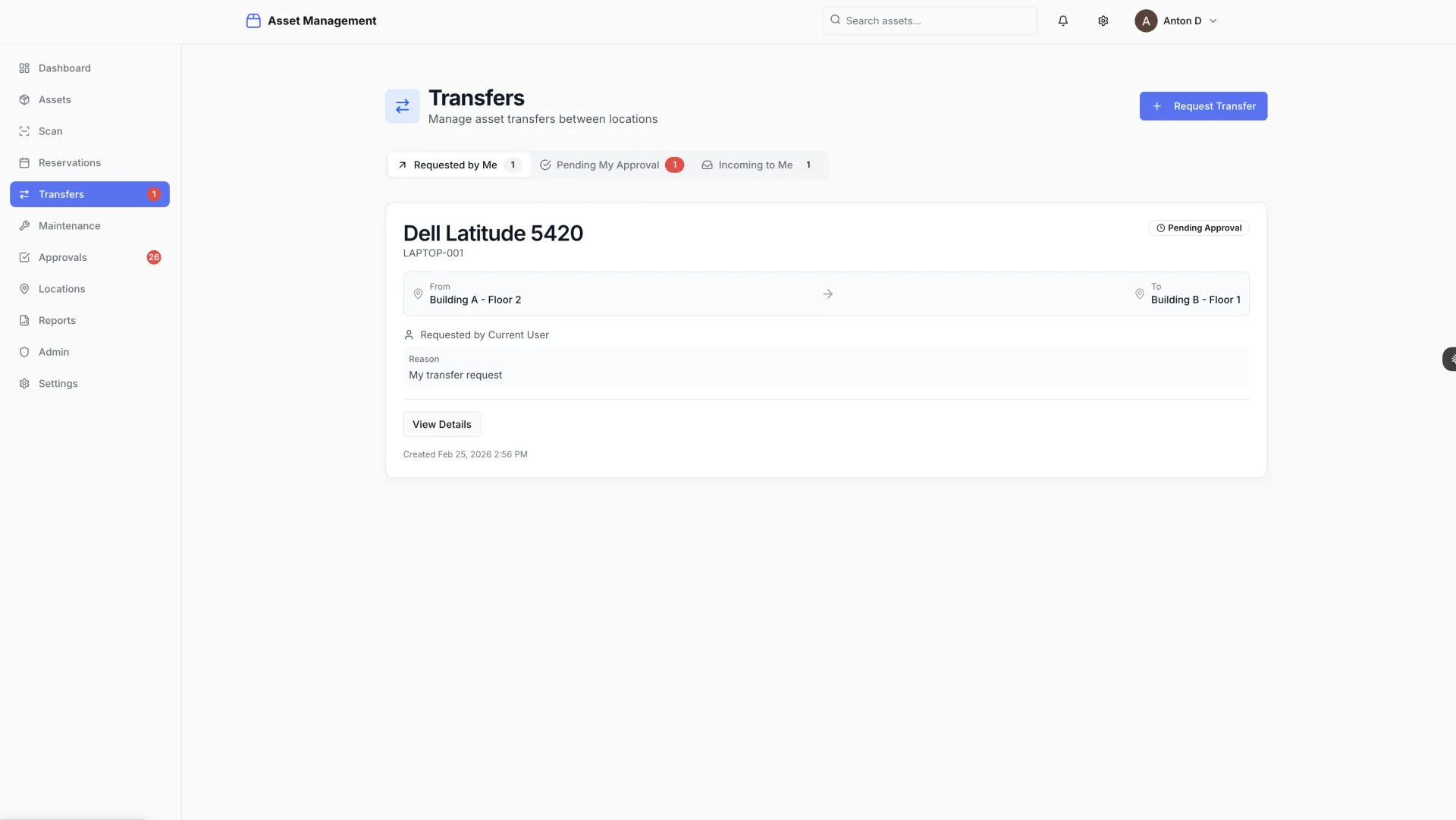
  • Approval workflows for asset transfers between departments, with a full audit trail
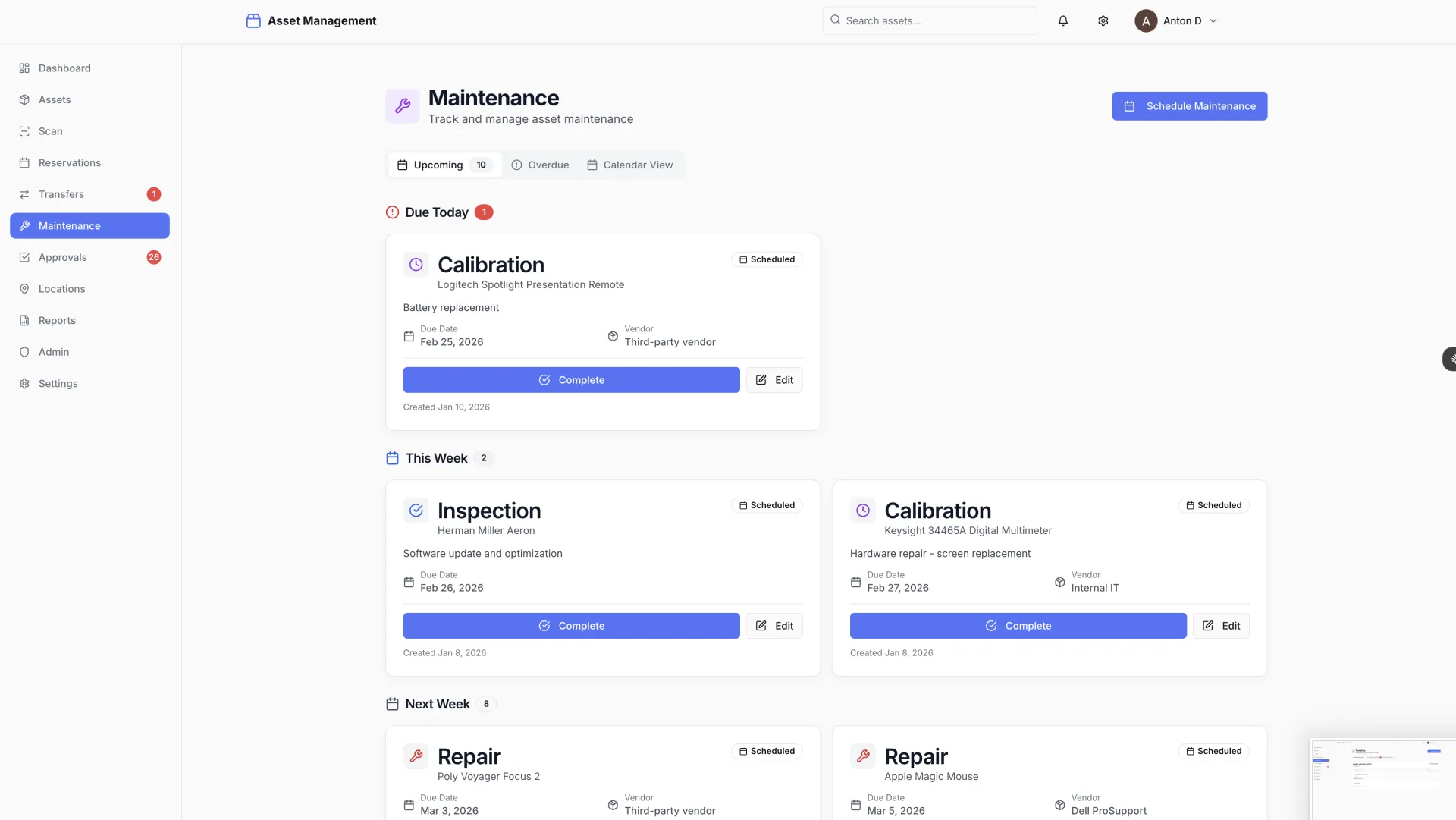
  • Maintenance scheduling and history tracking for equipment requiring regular servicing
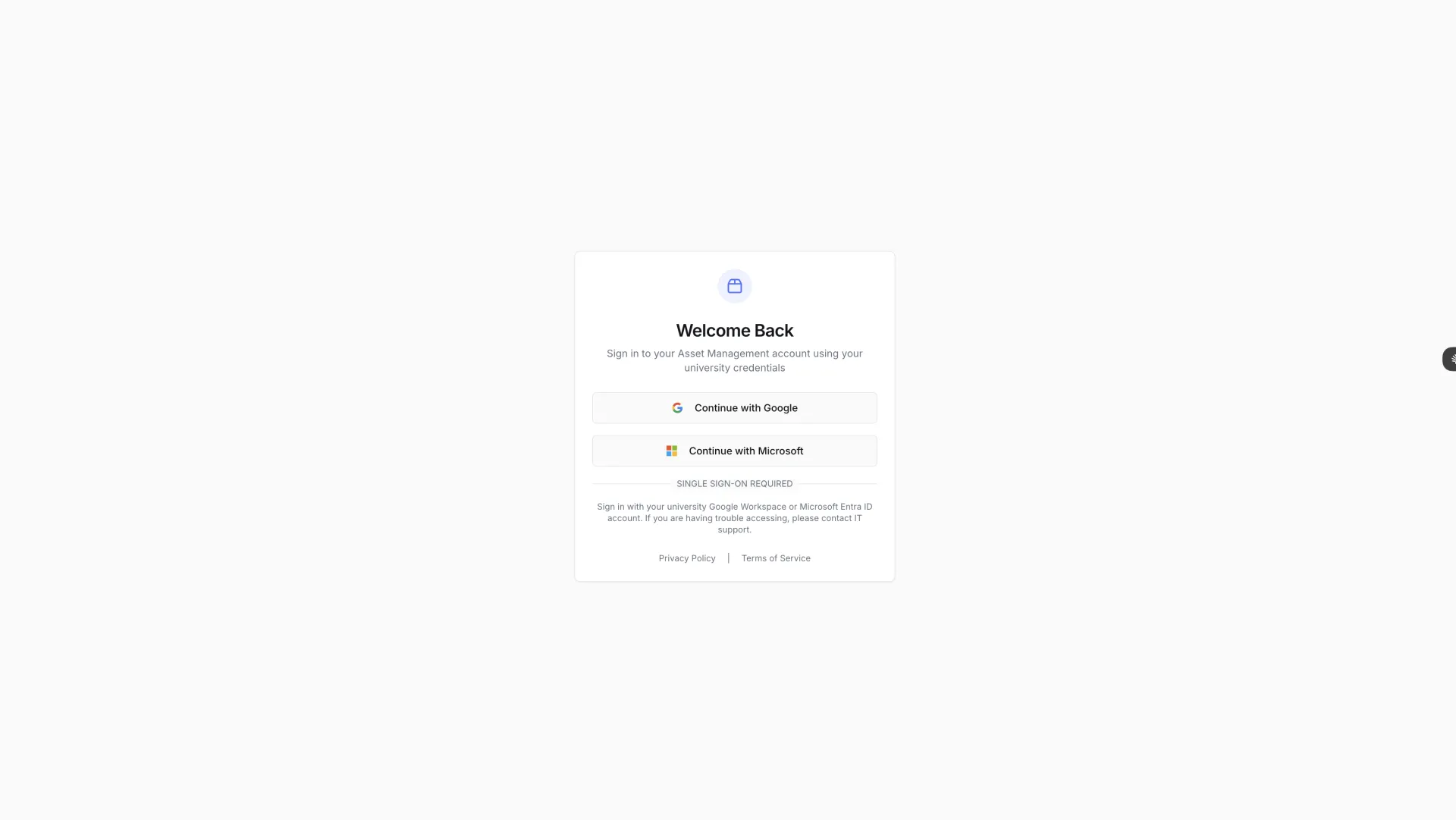
  • Enterprise SSO integration with the university's existing identity provider
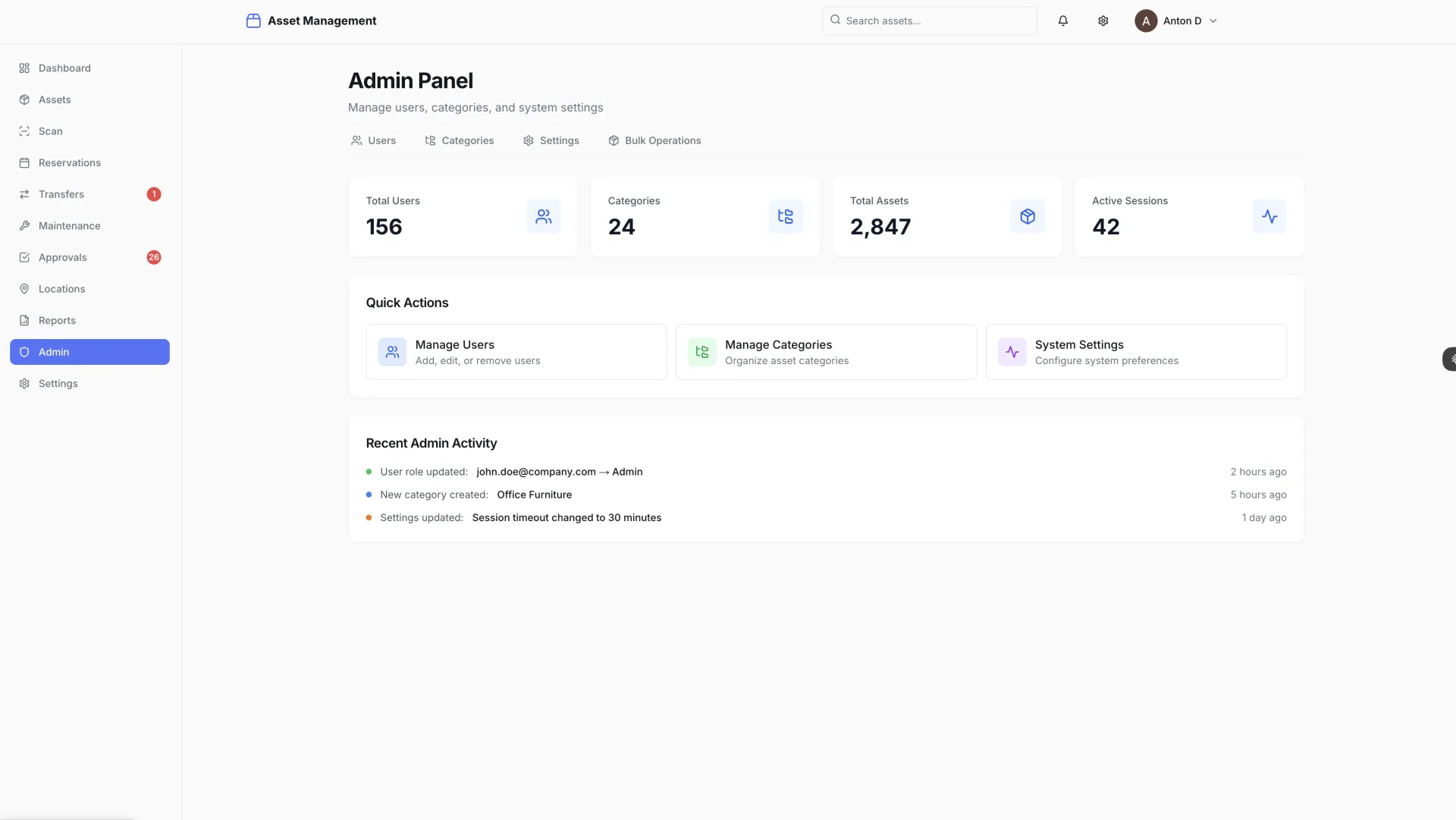
  • Role-based access control across technicians, department heads, and administrators
  • Real-time search across the full asset catalog, fast enough for use on a mobile device in the field

The institution had looked at enterprise ERP modules for asset management. The cost, implementation timeline, and complexity of those solutions made them impractical for the actual problem at hand.
The Solution

OneChair built the complete system in 8 hours. The design philosophy was scan-first from the beginning: every asset receives a QR code or barcode label, and the entire interface is optimized for technicians operating on mobile devices in the field.

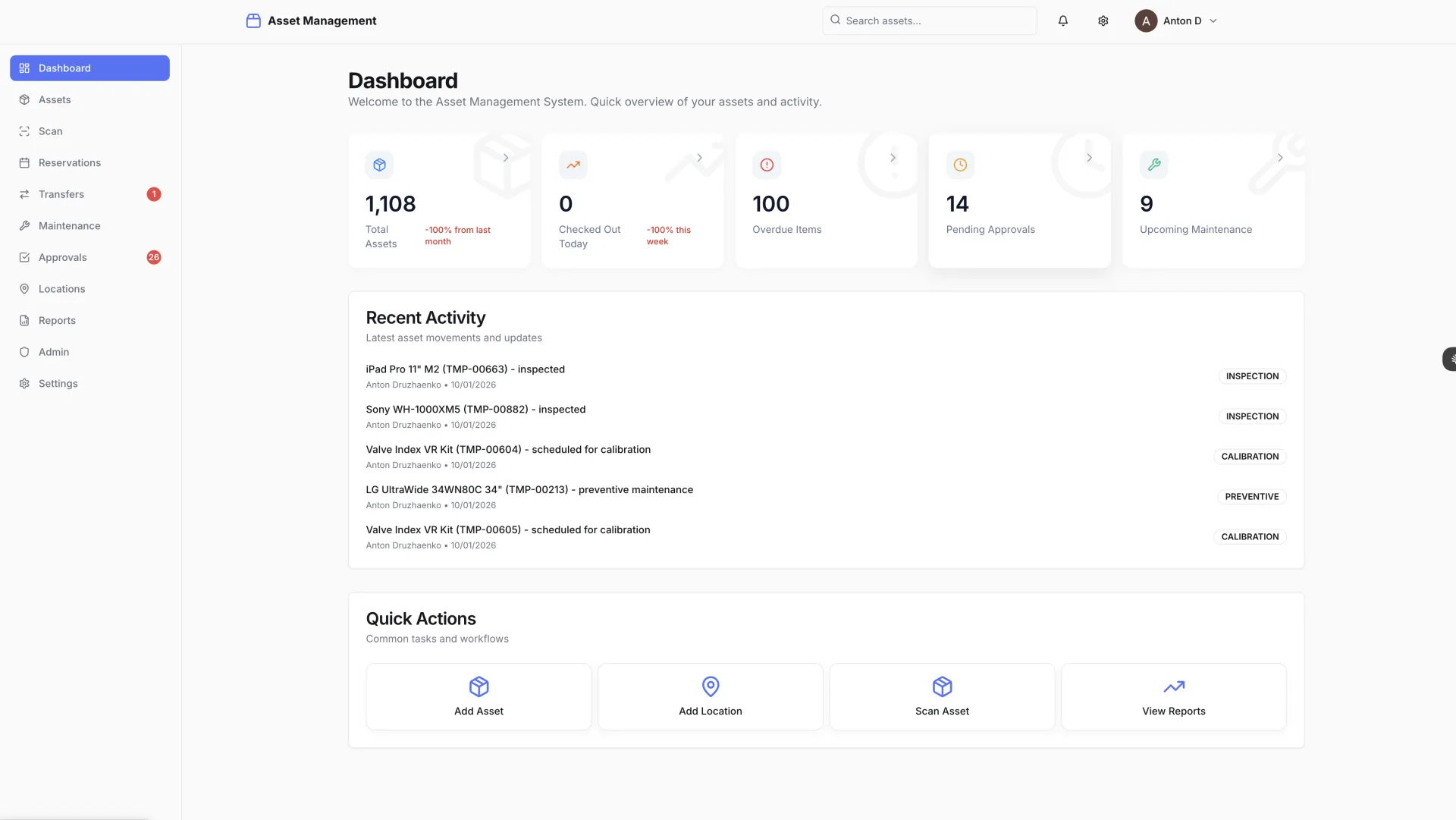
Scanning an asset code opens a full detail view instantly — asset name, category, serial number, current location, assigned department, maintenance status, and complete transfer history. From the same screen, a technician can initiate a transfer, log a maintenance event, or flag an issue. No manual searching, no spreadsheet lookup, no desk required.

Typesense powers the search layer. Asset records are indexed in real time, and search across the full catalog — by name, serial number, category, location, or custom fields — returns results in under 50 milliseconds even as the asset count scales to tens of thousands. Typesense's tolerance for typos and partial matches means technicians searching in the field get results even when they cannot remember the exact asset name.

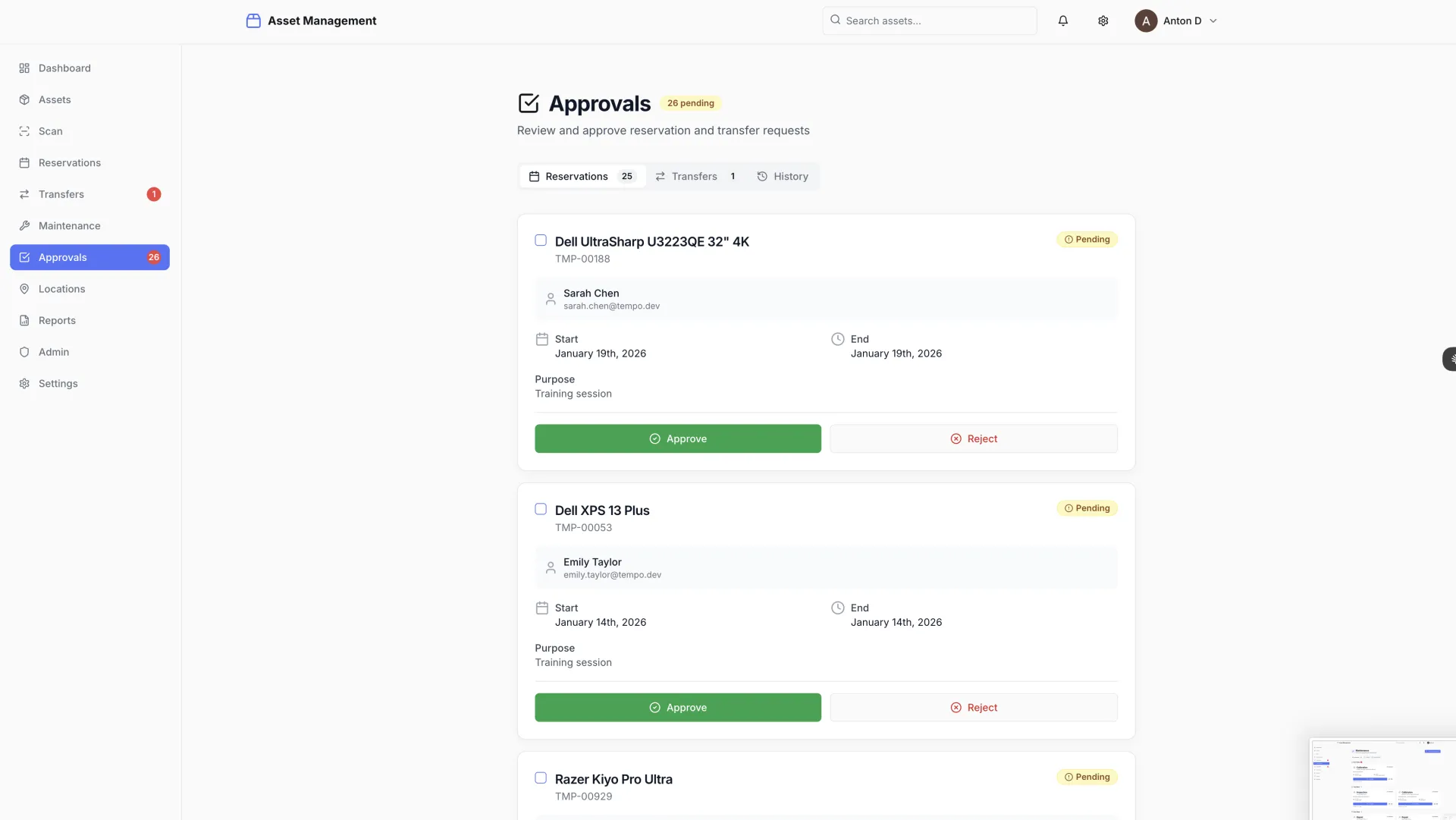
Mapbox provides the spatial layer. An interactive campus map shows asset distribution at the institution level, with the ability to drill down to building, floor, and room. Department heads can see at a glance what assets are in their space; facilities teams can identify concentrations and gaps across the estate.

Asset transfers follow an approval workflow: a transfer request is submitted, the receiving department head approves or rejects it, and the asset record updates automatically on approval. Every scan, transfer, status change, and maintenance event is logged with a timestamp and the user who performed the action — a complete, immutable audit trail.

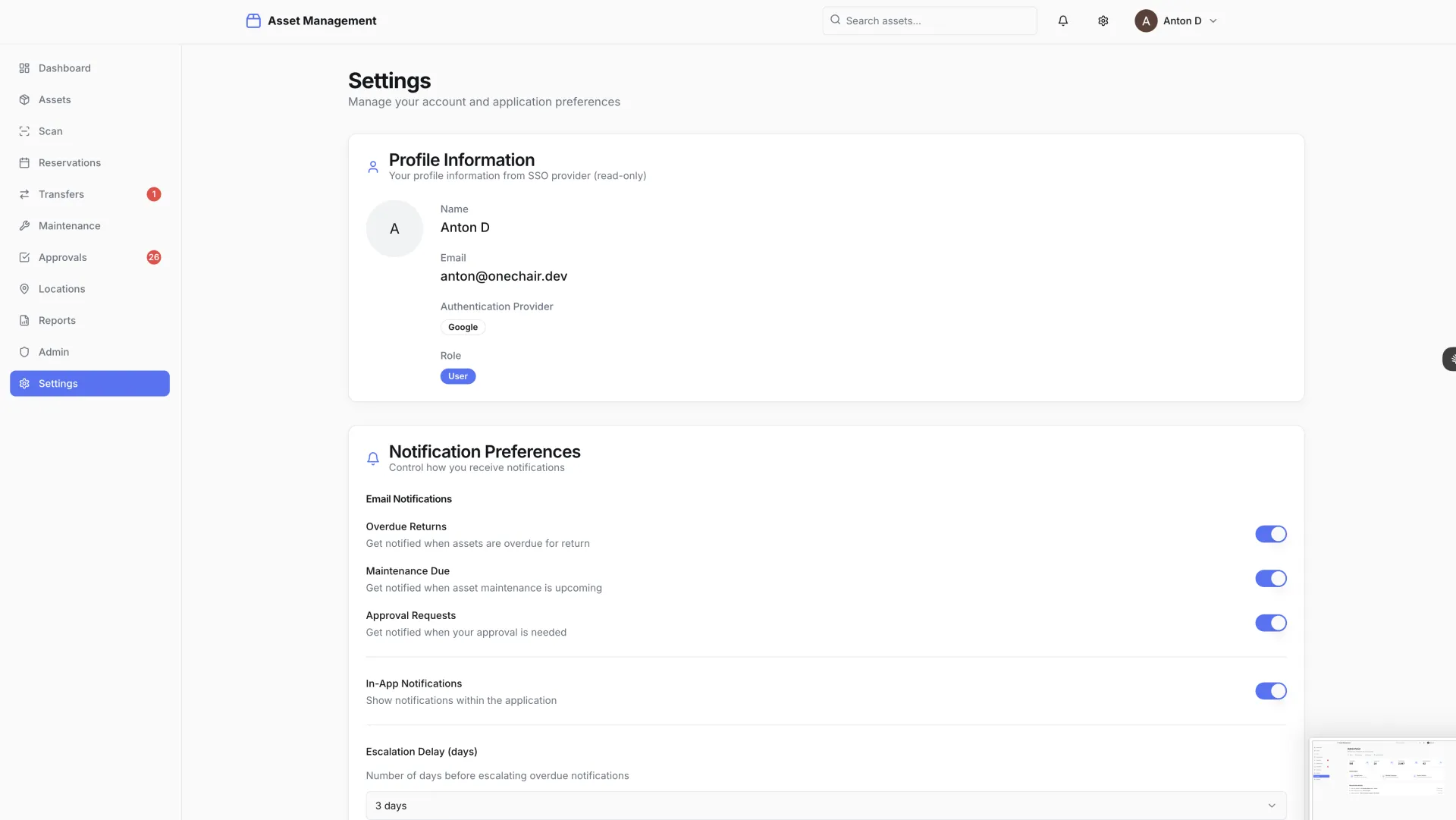
Enterprise SSO was integrated with the university's identity provider so staff use their existing institutional credentials. Redis handles session management and caching for frequently accessed asset data. The full stack — Next.js 14 frontend, NestJS backend, PostgreSQL, Typesense, Mapbox, and Redis — was selected for performance, operational simplicity, and long-term maintainability.

The Results

The complete enterprise asset management system was delivered in 8 hours — a purpose-built solution that handles every requirement the university had identified, without the overhead and vendor lock-in of a generic ERP module.

  • 8-hour build time for a complete, production-ready asset management system
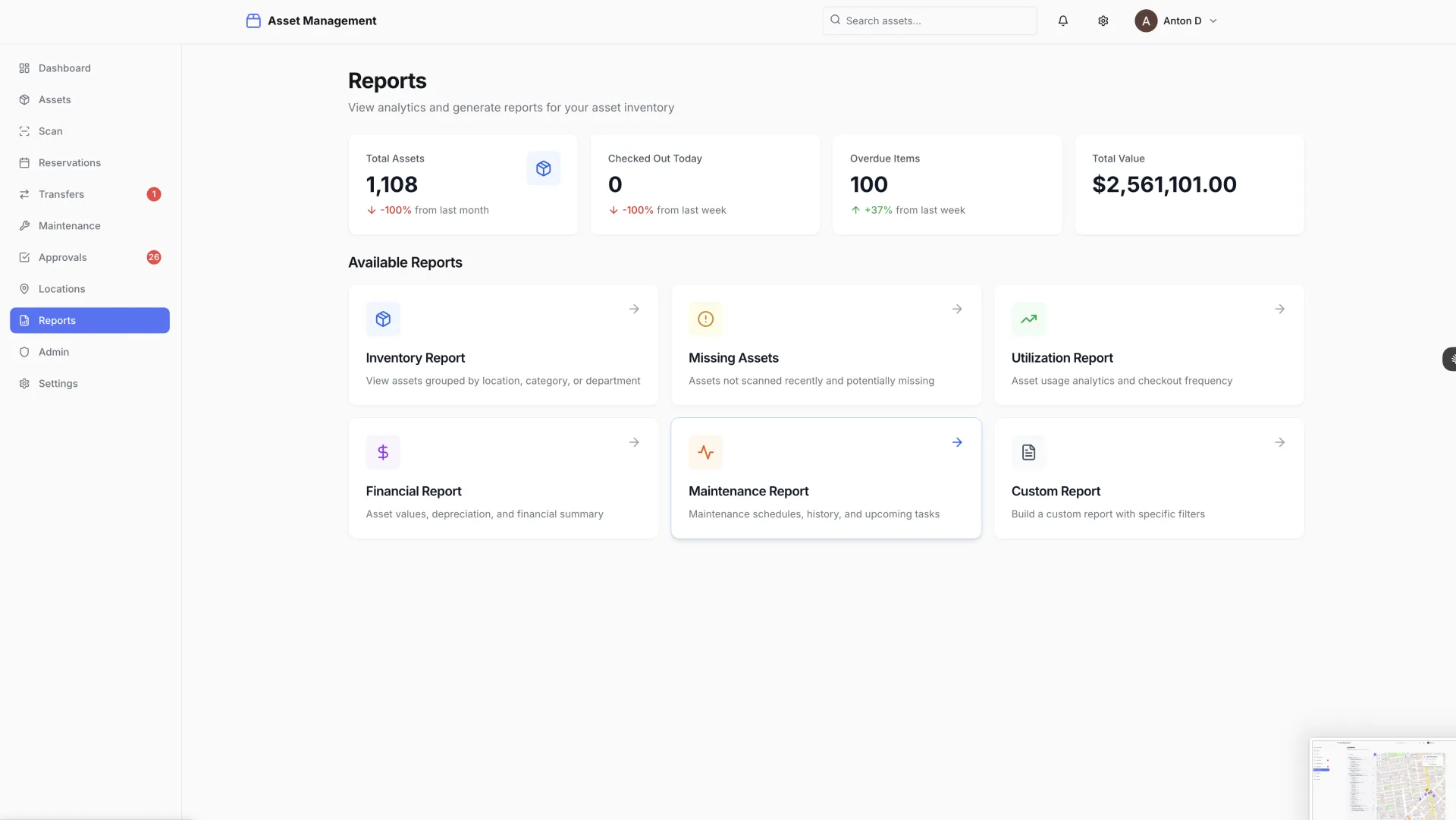
  • 11 screens delivered: login, analytics dashboard, asset list and detail, QR/barcode scan, transfers, maintenance tracking, approval workflows, location map, reports, admin panel, and settings
  • Sub-50ms search response times with Typesense full-text search across the complete asset catalog
  • Complete audit trail: every scan, transfer, and status change logged with timestamp and user identity
  • Mobile-optimized throughout — technicians can scan assets and update records from any mobile device without a dedicated app install
  • Enterprise-ready on launch: SSO integration, role-based access control, and multi-department support built from day one

Why This Worked: A Comparison

Enterprise ERP modules, standalone EAM platforms, and a custom OneChair build — across the dimensions institutions actually evaluate.

Enterprise ERP Module(SAP, Workday, Oracle, Banner) Standalone EAM(Asset Panda, EZOfficeInventory, AssetWorks) OneChair Custom Build
Time to working system 6–12 months 4–12 weeks 8 hours
Cost trajectory Six-figure license + implementation, ongoing licensing Mid five- to six-figure annual subscription One-time build cost; no recurring license
Mobile-first design Bolted on after desktop Variable Scan-first by design
Custom workflows Configuration within vendor constraints Limited customization Full custom development
SSO and RBAC Yes, vendor-managed Yes, often premium tier Yes, built in
Data ownership Vendor cloud Vendor cloud Institution-owned
Best fit Already on the ERP Mid-market with simple needs Institutions wanting purpose-built ownership

What This Pattern Unlocks for Other Institutions

The university asset management pattern generalizes directly to a wide set of institutional buyers facing the same ERP-or-nothing default:

  • Hospitals and health systems tracking medical equipment, mobile devices, and specialized clinical instruments across multiple facilities
  • Research institutes managing lab equipment, calibration schedules, and grant-funded asset reporting requirements
  • Museums and cultural institutions maintaining collection inventories with provenance, conservation history, and loan tracking
  • Government agencies managing IT asset fleets, facility equipment, and audit-required documentation
  • Manufacturing operations tracking tooling, calibrated instruments, and floor equipment across plants
  • K-12 school districts tracking IT devices, instruments, and shared equipment across schools

In each of these categories, the choice has historically been "expensive ERP module" or "spreadsheet." Custom development through AI-orchestrated delivery makes a third option viable for the first time: purpose-built, institution-owned, and shipped in days.

Key Takeaways

  • For universities and educational institutions. Asset tracking does not have to be a six-figure ERP module. A purpose-built system delivered in hours gives you better UX, faster search, and a mobile-first scanning workflow — without the vendor lock-in or the implementation project that never seems to end. The institutional procurement default is changing.
  • For operations teams. Scan-first design fundamentally changes the compliance equation. When updating an asset record is as fast as scanning a barcode, the system stays current as a natural byproduct of normal work — not because someone remembered to update a spreadsheet at the end of the week. The compliance posture improves because the workflow gets easier, not because the policy got stricter.
  • For IT and procurement leaders. Enterprise requirements — SSO, RBAC, audit trails, approval workflows — don't require enterprise timelines. AI-orchestrated development delivers institutional-grade software at startup speed, with a codebase the institution owns and can extend without a vendor relationship.
  • For institutions evaluating EAM vendors. Before signing a multi-year subscription with Asset Panda, EZOfficeInventory, AssetWorks, or accepting an ERP module's asset capabilities, it's worth pricing the alternative: a purpose-built system built to the institution's actual workflow, owned outright, with no recurring license fee. The cost difference compounds over the life of the system.

Frequently Asked Questions

Can a complete enterprise asset management system really be built in 8 hours?

Yes, for the scope this build represents: 11 screens covering the full asset lifecycle, sub-50ms search via Typesense, Mapbox-powered spatial visualization, scan-first mobile workflow, enterprise SSO, role-based access control, audit logging, and approval workflows. The 8-hour figure represents the build phase from clean specifications. Full deployment for a specific institution adds configuration, identity provider integration, data migration, and user training — but the platform foundation is the part that traditionally takes months, and that's what compresses.

How does this compare to Asset Panda, EZOfficeInventory, or AssetWorks?

The major EAM platforms are mature, configurable, and well-supported — they're also subscription-based, vendor-owned, and constrained to the workflows the vendor designed. A custom build delivers the same enterprise capabilities (scan-first workflow, SSO, RBAC, audit logging) with full data ownership, no recurring license fee, and workflows tailored exactly to the institution rather than configured within vendor limits.

How does this compare to an SAP, Workday, Oracle, or Banner asset module?

The ERP modules are designed for institutions already running the broader ERP suite. For an institution whose only acute need is asset tracking, the ERP-module path means a multi-month implementation, six-figure cost, and a system designed by enterprise software vendors for desktop administrators — not by operations teams for technicians in the field. A purpose-built system avoids the implementation overhead and produces a better daily workflow.

Is this case study a deployed system or an early build?

This is an early build. The engagement with the originating university did not proceed to full deployment. What the case study demonstrates is range — the architectural and engineering capability to deliver a complete institutional asset management system in 8 hours, ready to be deployed for the next institution that needs it.

What tech stack powers the system?

Next.js 14 for the frontend, NestJS for the API, PostgreSQL for the data layer, Typesense for sub-50ms full-text search, Mapbox for the spatial visualization layer, and Redis for caching and session management. Modern, production-proven components throughout — the speed came from how the work was orchestrated, not from exotic tooling.

Is OneChair available to build an asset management system for our institution?

Yes. OneChair partners with universities, research institutes, hospitals, museums, government agencies, and manufacturing operations on custom institutional software where the standard vendor options don't fit the actual workflow. Book a scope call.

READY TO REPLACE YOUR ERP MODULE WITHOUT REPLACING YOUR ERP?

If your institution is paying for asset tracking inside a system that wasn't designed for it, book a free scope call and find out what a purpose-built alternative would look like.

BOOK A SCOPE CALL